
Rotating a video can be necessary for many reasons, such as fixing a sideways clip or creating visual effects. With online tools like Rotate Video from Video2Edit, this process is quick and simple.
In this simple guide, we walk you through the features and settings, explaining how you can rotate and flip your videos in just a few clicks.
How to Rotate Video Online
Follow these simple steps:
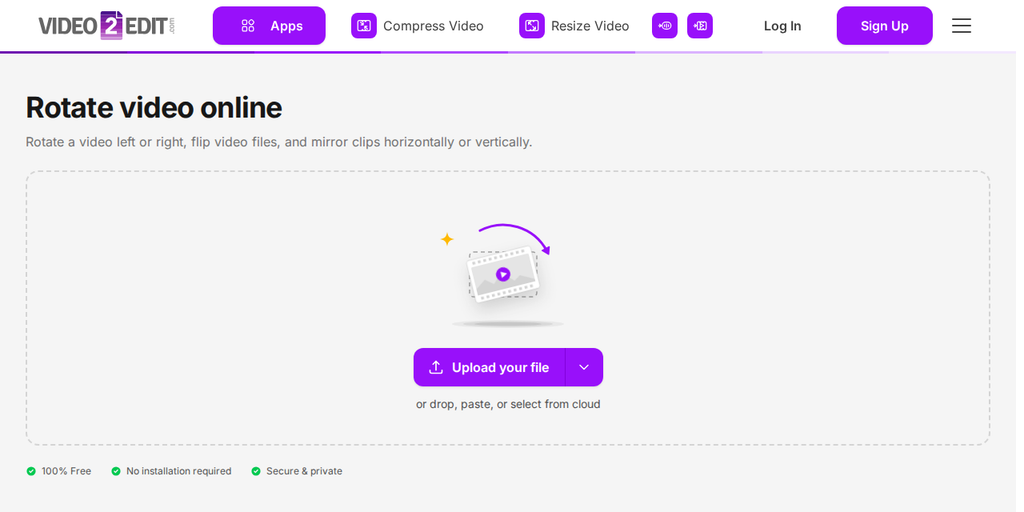
- Visit the website: Click the Rotate Video tool.
- Upload your video: Click "Upload your file" to add a video from your device, or drop it onto the box. The arrow next to the button lets you add a file from a URL, Google Drive, OneDrive, or Dropbox, or load a sample file to try.
- Adjust settings (optional)
- Click "Rotate Now" to start: to begin processing.
- Download your rotated video: After processing is complete, download your edited video file to your device.
This process works on various devices and platforms, making it a flexible solution for quick video adjustments.
Alternative Download Options:
- Download as a ZIP file: If you have multiple videos or large files, download them as a compressed ZIP file.
- Upload to cloud: Upload the rotated video directly to cloud storage services like Google Drive or Dropbox. This helps save space on your device and allows easy sharing.
Available Settings
After uploading your video, you can change it in several ways. Here is an overview of the available settings:
- Convert video file(s): Select the output format (MP4, AVI, etc.) that suits your needs.
- Rotate video (clockwise): Rotate your video by 90, 180, or 270 degrees clockwise to correct the orientation or add a creative effect.
- Mirror\/flip video: Flip your video horizontally or vertically. This is useful for creating mirrored effects or fixing incorrectly recorded videos.
In Conclusion
Rotating videos online with tools like Video2Edit is fast and simple. By following these steps, you will have rotated videos ready to share. Whether you are fixing orientation or adding a creative twist, this tool gives you full control.
Try it now to simplify your video editing.
Explore more Video2Edit tools
Interested in further improving your video projects? Check out these tools from Video2Edit:
- Convert Videos to Different Formats: Convert your videos into multiple formats, from MP4 to AVI, to keep them compatible across platforms.
- Convert Image to Video Online: Use this tool to convert a sequence of still images into a single video.
- Compress Videos: Reduce file size while keeping quality, ideal for faster uploads and saving storage space.
- Extract Tracks Online: Extract video, audio, and subtitle tracks from your files for easy editing and reuse.
- Merge Videos Online: With this video merger tool, you can upload multiple videos or images and easily combine them into one video.
Explore these options to streamline your video production process.