
Compressing videos is crucial in today's digital world, where sharing large files online or managing storage can be challenging. The Compress Video tool from Video2Edit simplifies the process, allowing you to quickly reduce video file sizes without sacrificing quality.
What is Video Compression?
Video compression refers to reducing the size of a video file by removing redundant data while maintaining its quality. Compression is essential for efficient file storage, faster uploads, and saving bandwidth. A well-compressed video retains high quality while occupying significantly less space.
Why Is Video Compression Useful?
- Faster Uploads: Compressed videos are quicker to upload, making them ideal for sharing via email or social media platforms.
- Reduced Storage: Smaller file sizes mean you can store more videos on your device without taking up excessive space.
- Improved Streaming: Compression ensures smoother video streaming, especially on slower internet connections.
- Compatibility: Smaller files are easier to handle on multiple devices and platforms.
How to Make a Video Smaller?
Follow these simple steps to compress your video using Video2Edit:
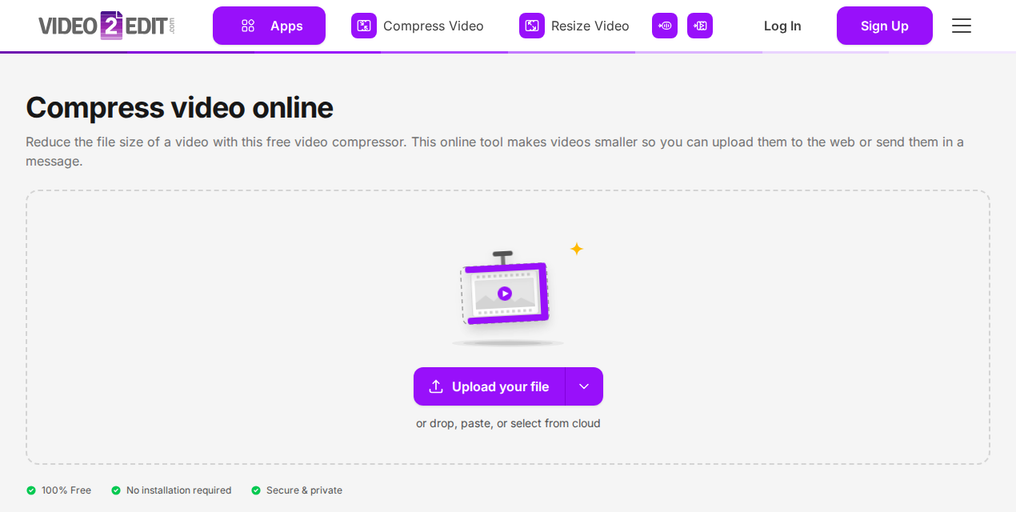
- Visit the website: Click "Compress Video" tool.
- Upload your video: Click "Upload your file" to add a video from your device, or drop it onto the box. The arrow next to the button lets you add a file from a URL, Google Drive, OneDrive, or Dropbox, or load a sample file to try.
- Choose a compression mode: Recommended compression, a custom target file size, or Compress for email (25 MB). Every compressed video is saved as an MP4.
- Click "Compress Now" to start to begin the compression process.
- Download your compressed video when the process is complete.
In Conclusion
With Video2Edit's online compression tool, reducing the file size of your videos is easier than ever. Whether you're looking to free up storage or share content more efficiently, compressing your videos ensures you can do so without sacrificing quality.
Explore more Video2Edit tools
Interested in improving your video projects further? Check out these helpful tools from Video2Edit:
- Convert Videos to Different Formats: Easily convert your videos into multiple formats, from MP4 to AVI, ensuring compatibility across all platforms.
- Extract tracks online: The easiest way to extract every video, audio, and subtitle track from your files, allowing for seamless editing and reusing of content.
- Video Volume Booster: Improve your video's audio with just a few clicks to enhance the viewing experience.
- Trim and Cut Videos: Quickly trim or cut unwanted parts of your videos to create cleaner, more polished content.
Explore these options to streamline your video production process.
Is This Service Free?
The free version of Video2Edit is perfect for casual users or anyone who needs occasional access to high-quality video conversion and editing tools. Everyday use is free with no account needed, and a free account increases your allowance.
There are two options to choose from:
- Subscription Plans: Pay monthly or annually to get a set number of Credits.
- Add-on credits: You can buy add-on credit packs at any time. Add-on credits do not reset with your billing cycle; they stay valid for one year or until used.
For more details, visit our pricing page.
Ready to get started? Try it now to simplify your video editing.